

How to Onboard Remote Employees with Instant Internet?
Remote employee onboarding requires reliable internet access, secure systems, and structured workflows to improve productivity and communication from day one. This blog explains how businesses can streamline onboarding with instant connectivity, automated provisioning, centralized support, and scalable connectivity management solutions. It also covers onboarding strategies, employee engagement practices, security considerations, and operational planning to help organizations build efficient and productive remote teams while reducing onboarding delays and connectivity disruptions.


 8 min read
 Share
Share
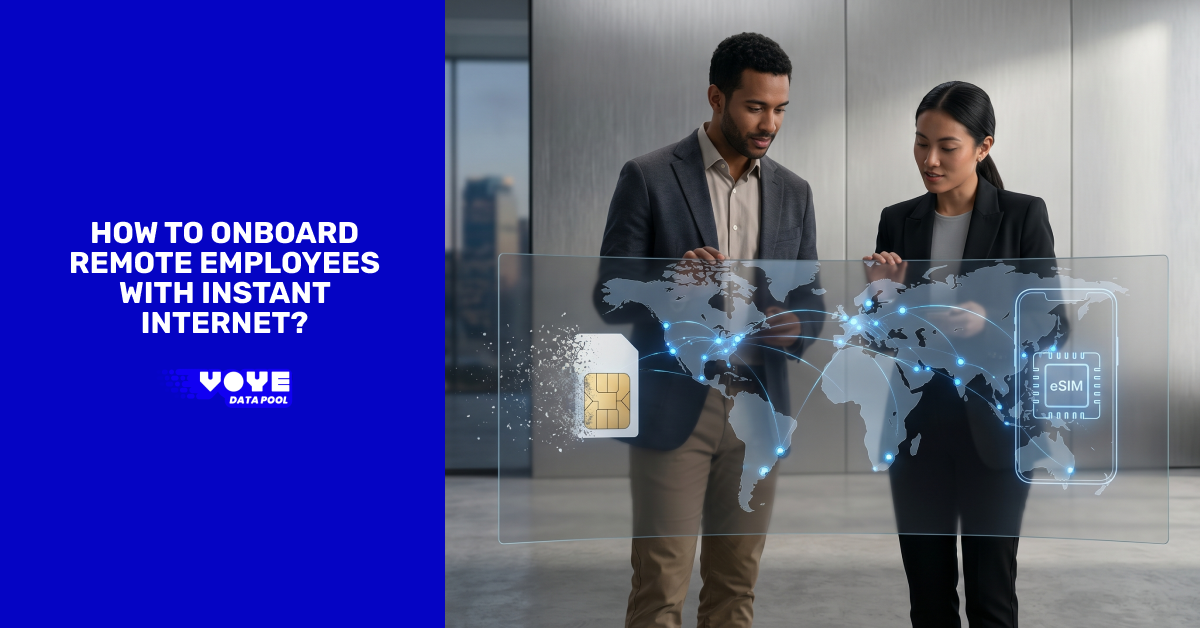
Remote work has transformed how businesses hire, train, and manage employees. Companies now recruit professionals from different cities, regions, and countries to build flexible and productive teams. While this hiring model increases access to skilled talent, it also creates new onboarding challenges. One of the most common issues is ensuring employees have immediate and reliable internet access from their very first day.
Without stable connectivity, new hires may struggle to attend meetings, access company systems, complete training sessions, or communicate effectively with colleagues. Delayed onboarding can reduce productivity and negatively affect the employee experience during a critical transition period.
Organizations that combine instant internet access, structured onboarding workflows, secure systems, and proactive employee support create a smoother and more professional onboarding experience. Reliable connectivity is no longer optional for remote employees. It is an essential part of operational success.
Why Instant Internet Access Matters During Remote Onboarding?
The first few days of employment often shape an employee’s perception of a company. Technical difficulties during onboarding can create frustration, slow down training, and impact employee confidence.
Providing immediate internet access helps businesses:
- Reduce onboarding delays
- Improve employee productivity
- Support uninterrupted training
- Minimize technical disruptions
- Strengthen communication
- Create a professional first impression
- Improve operational efficiency
When remote employees can connect instantly, they can focus on learning their responsibilities instead of troubleshooting internet issues.
Preparing for Remote Employee Onboarding
Successful onboarding begins before the employee’s official start date. Proper preparation allows businesses to create a seamless onboarding experience while reducing operational disruptions.
Ship Equipment Before Day One
Remote employees should receive all required devices several days before they begin work. Early delivery gives employees enough time to unpack equipment and resolve any delivery-related issues.
Essential equipment may include:
- Company laptop
- Monitor
- Keyboard and mouse
- Webcam
- Headset with a microphone
- Security authentication device
- Wireless hotspot or portable router
Using tracked delivery services improves accountability and helps ensure employees receive equipment on time.

Stay Connected Anywhere
Get reliable internet access for seamless remote employee onboarding support.
Include Plug-and-Play Internet Devices
Providing pre-configured wireless internet devices allows employees to get online immediately without waiting for local broadband installation.
This is especially valuable for:
- Employees in rural areas
- Temporary housing situations
- Locations with unreliable broadband infrastructure
- International remote workers
- Employees relocating for work
Modern wireless internet devices provide:
- High-speed connectivity
- Fast activation
- Secure encrypted access
- Backup internet during outages
- Simple setup without technical expertise
Providing immediate connectivity helps businesses avoid onboarding delays caused by internet installation problems.
Add Welcome Materials
A thoughtful onboarding package helps employees feel connected to the organization before formal onboarding begins.
Welcome kits may include:
- Company merchandise
- Printed onboarding instructions
- Team contact information
- Setup checklists
- First-week schedules
Simple onboarding materials improve communication and create a more welcoming employee experience.
Building a Reliable Connectivity Strategy
Businesses managing remote teams need scalable and reliable connectivity systems to support long-term workforce operations.
Use Shared Connectivity Management
Organizations onboarding distributed employees often benefit from implementing a custom data pool that distributes internet usage across multiple employee devices based on operational needs.
Instead of assigning fixed limits to each employee, pooled systems allow businesses to allocate bandwidth more efficiently.
Benefits include:
- Reduced unused data costs
- Better resource allocation
- Simplified administration
- Improved scalability
- Greater operational visibility
- Easier support for distributed teams
A centralized connectivity strategy helps businesses maintain operational continuity while improving cost management.
Integrate Voye Data Pool Solutions
Organizations onboarding remote employees across multiple locations can improve internet management through Voye Data Pool solutions.
These systems help businesses:
- Manage enterprise mobile connectivity
- Monitor employee data usage
- Support scalable workforce operations
- Improve operational oversight
- Reduce connectivity disruptions
- Simplify internet allocation
Integrating Voye Data Pool systems into onboarding workflows helps organizations provide reliable internet access without complicated setup procedures.
Automating Device and Software Provisioning
Once employees are connected, they should be able to access all required systems immediately.
Use Centralized Device Management
Centralized device management systems allow IT teams to configure employee laptops securely and consistently.
These systems help organizations:
- Install the required software automatically
- Configure secure network access
- Enforce security policies
- Manage software updates remotely
- Monitor device compliance
- Protect sensitive company information
Automation reduces manual setup time while improving onboarding consistency.
Pre-Configure Employee Accounts
Employees should have access to all essential systems before their first working day.
Important systems may include:
- Email platforms
- Team communication tools
- Video conferencing software
- Project management systems
- Cloud storage access
- Password management systems
- HR portals
Pre-configured access reduces onboarding delays and allows employees to begin work immediately.
Schedule First-Day Technical Support
Dedicated onboarding support helps employees resolve technical issues quickly.
A first-day technical session should include:
- Login verification
- Audio and video testing
- Security setup
- Connectivity checks
- Software walkthroughs
- Troubleshooting assistance
Immediate technical support improves employee confidence and reduces frustration during onboarding.
Strengthening Communication During Remote Onboarding
Technology supports onboarding efficiency, but employee engagement also depends on communication and human interaction.
Assign an Onboarding Buddy
New employees often feel more comfortable asking operational questions to peers instead of managers.
An onboarding buddy can assist with:
- Team introductions
- Workflow guidance
- Communication practices
- Company culture support
- Collaboration expectations
- Informal operational questions
This approach helps employees integrate into the organization more naturally.
Schedule Regular Check-Ins
Frequent communication during the first few months helps managers identify concerns early and provide ongoing support.
First Week
- Daily kickoff meetings
- End-of-day progress discussions
- Open question sessions
First Month
- Weekly feedback meetings
- Team collaboration reviews
- Goal alignment discussions
Long-Term Support
- Performance reviews
- Skills development planning
- Career growth discussions
- Operational feedback sessions
Consistent communication strengthens employee engagement and reduces isolation.
Simplify Remote Team Setup
Access scalable connectivity solutions for distributed workforce onboarding and productivity.
Encourage Informal Team Interaction
Remote employees also need opportunities to build relationships outside formal meetings.
Organizations can encourage:
- Virtual coffee chats
- Informal introductions
- Team collaboration sessions
- Cross-functional networking
- Group discussions
Strong workplace relationships improve morale, communication, and long-term retention.
Developing Structured Training Systems
Remote onboarding requires organized documentation and accessible training resources.
Create a Centralized Knowledge Base
A searchable knowledge system allows employees to access information independently whenever needed.
Documentation should include:
- Company policies
- Workflow procedures
- Security guidelines
- Department processes
- Troubleshooting instructions
- Escalation procedures
Centralized documentation improves consistency while reducing repetitive support requests.
Implement a 30-60-90 Day Plan
Structured onboarding timelines help employees understand expectations clearly.
First 30 Days
- Complete onboarding training
- Learn company systems
- Meet key stakeholders
- Understand workflows
First 60 Days
- Begin independent task ownership
- Participate in collaborative projects
- Improve process familiarity
- Strengthen communication skills
First 90 Days
- Demonstrate role proficiency
- Achieve operational goals
- Contribute strategically
- Build long-term development plans
Clear onboarding milestones improve confidence and reduce uncertainty.
Use Flexible Training Methods
Remote employees often work across different schedules and time zones. Flexible training resources improve accessibility and learning efficiency.
Asynchronous training materials may include:
- Recorded tutorials
- Workflow demonstrations
- Compliance sessions
- Product training videos
- Customer communication examples
Flexible learning systems allow employees to revisit training content whenever needed.
Maintaining Security for Remote Teams
Remote onboarding also requires strong cybersecurity practices to protect employee and company data.
Enforce Secure Access Policies
Every employee’s device should meet company security standards.
Important security measures include:
- Multi-factor authentication
- Secure encrypted connections
- Endpoint protection software
- Device compliance monitoring
- Password security policies
Strong security practices reduce operational risk while protecting remote employees.
Monitor Connectivity and Performance
Businesses providing managed internet solutions should maintain visibility into connectivity usage and performance.
Monitoring helps organizations:
- Detect suspicious activity
- Prevent excessive data usage
- Identify connectivity issues
- Improve bandwidth allocation
- Maintain operational continuity
Centralized oversight improves both security and operational reliability.
Measuring Onboarding Success
Organizations should continuously evaluate onboarding performance to improve long-term employee outcomes.
Collect Employee Feedback
Employee feedback helps businesses identify strengths and improvement opportunities within onboarding systems.
Useful feedback topics include:
- Equipment delivery quality
- Internet setup experience
- Training effectiveness
- Technical support responsiveness
- Communication clarity
- Team integration experience
Regular feedback helps organizations refine onboarding processes over time.
Track Operational Metrics
Monitoring onboarding performance metrics provides insight into operational effectiveness.
Important metrics include:
- Time to productivity
- Training completion rates
- Employee retention
- Technical support requests
- Employee satisfaction
- Connectivity issue frequency
Data-driven onboarding improvements help organizations scale remote operations more effectively.
Building Long-Term Remote Workforce Stability
Businesses that successfully onboard remote employees often rely on consistent systems, proactive support, and scalable connectivity management.
Effective onboarding strategies typically include:
- Early equipment delivery
- Instant internet access
- Automated provisioning
- Structured onboarding schedules
- Secure remote access
- Centralized documentation
- Ongoing employee communication
- Continuous operational monitoring
Companies that prioritize reliable connectivity and organized onboarding processes create a stronger foundation for long-term employee productivity and engagement.
Conclusion
Remote employee onboarding requires more than shipping devices and scheduling virtual meetings. Organizations must create a complete onboarding framework that combines reliable internet access, secure systems, automated provisioning, employee support, and structured communication.
Providing immediate connectivity through managed wireless solutions eliminates one of the most common onboarding challenges for remote teams. Businesses using scalable systems such as custom data pool management and Voye Data Pool solutions can improve connectivity efficiency while supporting distributed employees more effectively.
When employees can connect instantly, access systems securely, and communicate confidently from day one, organizations create a more productive, collaborative, and reliable remote workforce.
Power Remote Workforce Growth
Enable secure instant connectivity for productive and efficient remote employee onboarding.